
Tagged with 'Pastel'
13 Results


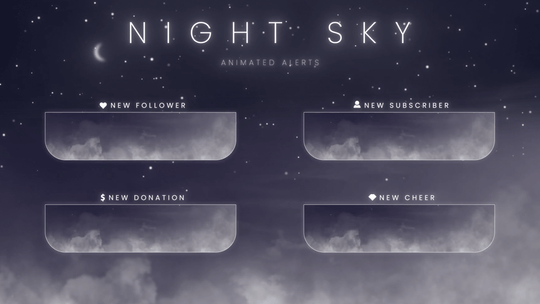


What is a Stream Alert?

A stream alert is an animated notification that pops up on screen when something happens during your live stream — a new follower, a subscription, a donation, a raid, or a bit cheer. Each alert plays a short animation with a custom sound effect, letting your audience see their support acknowledged in real time.
Our animated stream alerts work with OBS Studio, Streamlabs, and StreamElements. Every alert pack includes one-click install files so you can set up all your alerts in seconds. Browse all stream overlays to find matching designs, try free alerts first, or pair your alerts with a matching stream overlay package for a complete look.
Our animated stream alerts work with OBS Studio, Streamlabs, and StreamElements. Every alert pack includes one-click install files so you can set up all your alerts in seconds. Browse all stream overlays to find matching designs, try free alerts first, or pair your alerts with a matching stream overlay package for a complete look.
Frequently Asked Questions
What are stream alerts?
Stream alerts are animated on-screen notifications triggered by viewer actions — follows, subscriptions, donations, raids, and bit cheers. They appear during your live stream as a short animation with a sound effect, giving your audience instant visual feedback. Alerts are set up through OBS Studio, Streamlabs, or StreamElements.
How do I add alerts in OBS Studio?
In OBS Studio, alerts are added as a Browser Source. Copy your alert URL from Streamlabs or StreamElements, then add a new Browser Source in your OBS scene and paste the URL. Our alert packs include one-click install files that configure everything automatically — just import and your alerts are ready to go.
What alerts do I need for my stream?
Most streamers use five core alerts: follower, subscription, donation (or tip), raid, and bit cheer. Some packs also include host alerts and gifted sub alerts. Our stream overlay packages include matching alerts for all event types, so every notification fits your stream’s theme.
Do your alerts include sound effects?
Yes. Every alert pack includes a custom sound effect designed to match the animation. The sound file is bundled with your download and is automatically linked when you use the one-click install file for OBS Studio or Streamlabs.
Are your stream alerts free?
We offer both free and premium stream alerts. Browse the Freebies collection for free animated alerts that include the same one-click install files as our paid packs. Premium alerts start at $5 and include more styles, matching assets, and unique sound effects.
Can I use these alerts on both Twitch and YouTube?
Yes. Our stream alerts work with any platform that supports OBS Studio, Streamlabs, or StreamElements — including Twitch and YouTube. The alerts are delivered as video files and browser source URLs that work across all streaming platforms.
How do I make my own stream alert?
Custom stream alerts are typically created in Adobe After Effects and exported as .webm video files with transparency. You also need to set up a sound effect and configure the alert timing in your streaming software. For most streamers, downloading a premade alert pack is faster and more cost-effective than building one from scratch.
