Twitch Bio Generator AI

Craft engaging Twitch channel bios with our AI that captures your unique streaming style and connects with your audience

AI-Powered Bios Inspired by Top Streamers

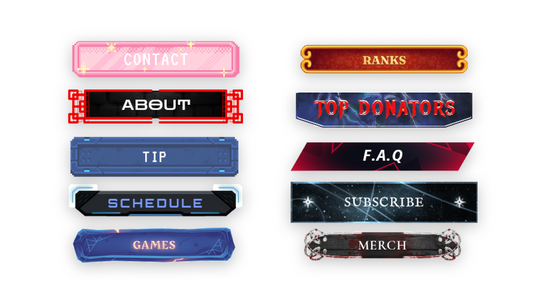
Our AI has analyzed thousands of successful Twitch channels to understand what makes bios effective. It combines this knowledge with your unique inputs to generate bios that follow proven engagement patterns while maintaining your authentic voice and including all your essential channel information. Pair your bio with a unique username, a set of Twitch panels, and some stream overlays to complete your channel setup.

Creating Your Perfect Twitch Bio

  • Add Your Channel Details

    Add some info about your channel, including your main content, streaming style, and schedule. The more information you provide, the more personalized your bio will be.
  • Define Your Brand

    Choose your preferred tone and brand personality. Whether you're running a chill gaming community or educational content channel, our generator will match your unique style.
  • Add Special Features

    Include your channel's unique elements like subscriber games, community events, or special segments. These details help your bio stand out and attract the right audience.
  • Choose and Customize

    Get unique bio variations, each focusing on different aspects of your channel. Copy your favorite and use it as is, or customize it to make it perfect for you.

Twitch Bio Examples

Need inspiration? Here are bio styles that actually work on Twitch, based on patterns from real streamers across all channel sizes.
  • Short & Sweet

    "Just a chill dude playing too much Valorant. Tues/Thurs/Sat 8PM EST ✌️"

    "Hiii ♡ Welcome to my cozy corner. Story games & emotional damage. Schedule in panels!"

    Minimal bios work best when you lead with personality and include your schedule. These get straight to the point without feeling generic.

  • Funny & Creative

    "Accountant by day. Mediocre Apex player by night. Wed–Sun 9PM CT. My K/D ratio is classified."

    "I’m legally not allowed to say I’m the best Elden Ring player but I’m definitely thinking it 🤫"

    Humor makes you memorable. Contrast your real life with your gaming life, or lean into self-deprecating jokes about your skill level.

  • Professional & Informative

    "Diamond 2 support main | Educational League streams Mon–Fri 6PM GMT | VOD reviews Sundays | Business: name@email.com"

    "Variety streamer & Twitch Partner since 2022 | FPS & survival games | Mon/Wed/Fri 7–11PM EST | Discord below!"

    Use pipe separators to pack maximum info into 300 characters. Lead with credentials if you have them.

  • Community-Focused

    "The friendliest corner of Twitch 🌈 Safe space for all. Cozy vibes, chill games, good people. Lurkers welcome! Daily 8PM CET"

    "Building something special here. Competitive but never toxic. Viewer games every Friday. Come hang, stay for the community ♡"

    Great for growing channels. Focus on the experience you offer, not just the games you play.

Frequently Asked Questions

How long should my Twitch bio be?
Twitch has a 300-character limit for channel bios. Our generator creates bios that maximize this space while keeping the content concise and engaging.
What makes a good Twitch bio?
An effective Twitch bio includes your stream schedule, main content focus, unique value proposition, and a clear call-to-action. It should give viewers a quick understanding of what makes your channel special.
Should I include my stream schedule in my bio?
Yes! Including your schedule helps viewers know when to catch your streams and increases the likelihood of them returning. Our generator naturally incorporates your schedule into the bio
Can I edit the generated bio?
Absolutely! These generated bios are starting points that you can customize to better match your voice and style. Feel free to modify any part to make it more personal. Once your bio is ready, use our Twitch Name Generator to find a matching username and check out our Twitch panels to design the rest of your profile.

Complete your Twitch profile.

  • Itachi
    Itachi - Twitch Overlay and Alerts Package for OBS Studio
    Sold out
    Regular price
    $29
    Sale price
    $29
    Regular price
    $0
    Unit price
    per 
  • Data
    Data - Twitch Overlay and Alerts Package for OBS Studio
    Sold out
    Regular price
    $21
    Sale price
    $21
    Regular price
    $29
    Unit price
    per 
  • Twitch Panels Mega Bundle
    720 FREE Twitch Panels Mega Bundle - Download Now! 720 FREE Twitch Panels Mega Bundle - Download Now!
    Sold out
    Regular price
    $0
    Sale price
    $0
    Regular price
    $0
    Unit price
    per 
Browse All Stream Overlays
Your bio’s done. What about your stream?
A great bio gets clicks — great overlays keep viewers. 50% off your first pack.
WELCOME50
Tap to copy
Paste this code at checkout to apply
Claim 50% Off
Panels, alerts, webcam frames & more.