
Cool PFPS

A$AP ROCKY

Baby Nissan

Cigarette

Cyberpunk

Flaming Skull

GTO

La Haine

Lil Peep

Onizuka

Peaky Blinders

Piercing

Rockstar

Rust

Sony

Taxi Driver

Tyler Durden

Ugly

Zelenskyy
Anime PFPs

Aska Evangelion

Chisato Nishikigi

Chizuru Ichinoze

Eren Titan

Monogatari

Hinata Naruto

Itachi Uchiha

Kanade Beasttamer

Luffy One Piece

Marin Kitagawa

Mio K-on

Mob Psycho

Rem Rezero

Ryoku Matoi

Sad Naruto

Simon

Tokyo Ghoul

Vermeil In Gold
Funny PFPs

WOW

Witcher Chad

Speedrun

Smiling Cat

Rock

Doge Frog

Joker Cat

Howdy

Heisenburger

Goofy Cat

Floppa

Dorime

Disappearing Emoji

Rabbit Cube

Corn

Cat in a Hat

Banana Cat

Armed Frog
Cute PFPs

Sleepy Mouse

Sleeping Cat

Pusheen Cat

Curled Ears Cat

Hooded Cat

Frog

Flower Bunny

Fluffy Dog

Mushroom

Corn Cat

Combing Cat

Chill With Cat

Chewing Bunny

Cat With Teddy

Cat In a Hat

Сapybara

Cute Chick

Sleepy Cat
Aesthetic PFPs

Aesthetic

Colorful Mirror

Crying Girl

Dating

Eye

Flowers

Fog City

Kimono Girl

Moon Shine

Noir Boy

Pixel Landscape

Rose

Sakura

Sneakers

The Fallen Angel

The Great Wave

Tokyo Sunset

Trip
GIF PFPs

American Psycho

Anime Aesthetic

Aphex Twin Monkey

Sad Bart

BMW Anime

Dumb Patrick

Cowboy Bebop

Fenrir GoW

Gandalf

Gerald The Witcher

Gurren Lagan

Iggy Jojo

Joel The Last Of Us

Serial Experiments Lain

Lil Pepe

Phonk Dog

Pikachu Eat

Shrek
What Are Discord PFPs?
A Discord PFP (profile picture) is the small avatar image displayed next to your username in every server, DM, and voice channel on Discord. It's one of the first things people notice about your profile, along with your banner and About Me section. Discord accepts static images in JPG or PNG format at a recommended size of 128x128 pixels — larger images are automatically resized and cropped to a circle. Animated GIF avatars are available exclusively to Discord Nitro subscribers.
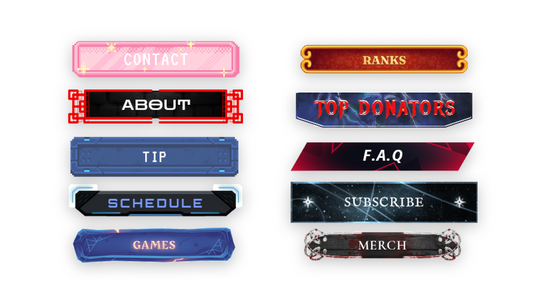
Your PFP is part of your broader online identity. Many streamers and content creators match their Discord avatar with their stream branding — using the same visual style across their Twitch panels, offline banners, and stream overlays to build a consistent, recognizable look. Whether you're running a gaming community, a creative server, or a fan space, visual consistency across platforms helps your audience find and remember you.
Every profile picture on this page is completely free to download and use as your Discord avatar. Browse by category — cool, anime, funny, cute, aesthetic, or animated GIFs — click the download button on any image to save it, and set it as your new PFP in seconds. No account or signup required.
Your PFP is part of your broader online identity. Many streamers and content creators match their Discord avatar with their stream branding — using the same visual style across their Twitch panels, offline banners, and stream overlays to build a consistent, recognizable look. Whether you're running a gaming community, a creative server, or a fan space, visual consistency across platforms helps your audience find and remember you.
Every profile picture on this page is completely free to download and use as your Discord avatar. Browse by category — cool, anime, funny, cute, aesthetic, or animated GIFs — click the download button on any image to save it, and set it as your new PFP in seconds. No account or signup required.
How to Change Discord Profile Picture?
- Go to Settings by clicking on a gear icon at the bottom-left side of the app
- Open the User Profile tab
- Press the Change Avatar button
- Choose your image
- Voila, your profile picture is updated
Frequently Asked Questions
What is the size of a Discord avatar?
The recommended avatar size for discord is 128x128 pixels but if you’ll upload a bigger or smaller image it will get resized automatically. You can upload JPG and PNG images for static avatars and GIF files for animated avatars in case you have a Nitro subscription. Take note that all discord profile pictures are cropped to a circle so make sure that your new avatar fits well.
How to download a Discord pfp?
- Open Discord in your web browser
- Find a profile that you want to get the pfp from
- Press Ctrl + Shift + C on Windows or Cmd + Shift + C on Mac OS to open the developer tool of your browser
- Move your mouse on top of the avatar and click it
- Copy the URL highlighted in the developer tool of your browser
- Paste it into a new tab and press Enter
- Right-Click on it and press Save Image As…
Why won’t Discord let me change my pfp?
Discord has a limitation on the number of times you can change your profile picture in a short period to prevent spam. So the most common reason for this problem is that you’ve probably changed your profile picture too often. Just wait for 10-15 minutes and you’ll be able to change your pfp again. In case it won’t work you can try rebooting your discord app or waiting a bit longer, for an hour or so.
How to get animated Discord pfp?
To get an animated discord profile picture you need to purchase their Nitro subscription. One of its perks allows you to upload animated GIF images as your profile picture.
Love these styles? Check out matching stream graphics.
-
Customizable Vtuber Model
 Sold out
- Regular price
- $29
- Sale price
- $29
- Regular price
-
$29 - Unit price
- per


Love these avatars?
Match your PFP with premium stream overlays — 50% off your first pack.
WELCOME50
Tap to copy
Paste this code at checkout to apply
See Stream Overlays
Want matching stream graphics?
Your Discord PFP is set — now make your stream look just as good. 50% off all overlay packs.
WELCOME50
Tap to copy
Paste this code at checkout to apply
Get 50% Off
VTuber models, panels, overlays & more.