
How to Become a PNGTuber: Software, Setup, and Getting Started

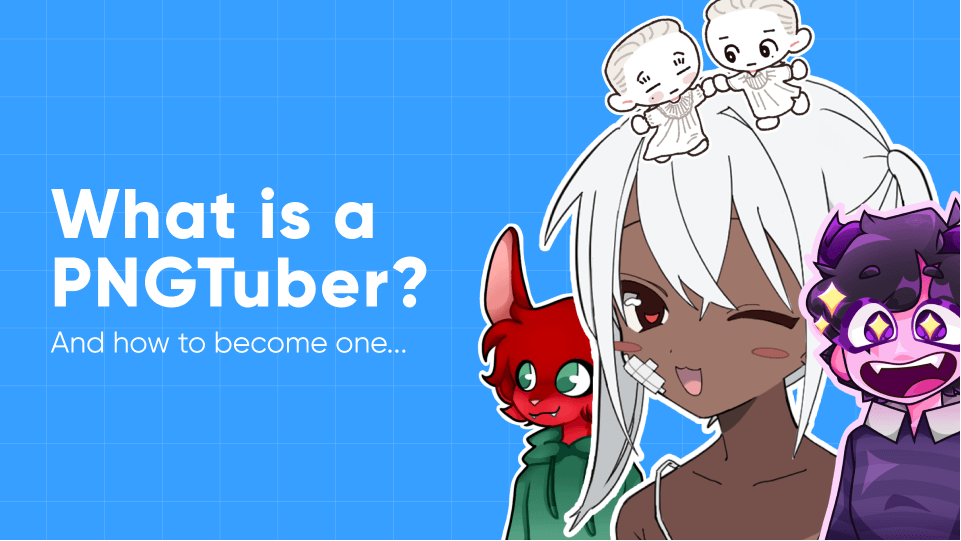
A PNGTuber is a streamer or content creator who uses a static or semi-animated PNG avatar instead of a webcam or a fully rigged VTuber model. Software detects your voice through your microphone and swaps between images — mouth open when you talk, mouth closed when you're silent. More advanced setups add blinking, expressions, bounce animations, and reactive effects.
PNGTubing is the lowest-barrier way to stream with a virtual avatar. You don't need a webcam, face-tracking software, or a rigged model. You need art (at minimum two images) and free software. This guide covers everything: creating your avatar, choosing software, and setting it up in OBS.
PNGTuber vs VTuber: What's the Difference?
Both PNGTubers and VTubers use virtual avatars instead of webcams, but the complexity and cost differ significantly.
| PNGTuber | 2D VTuber (Live2D) | 3D VTuber | |
|---|---|---|---|
| Avatar type | Static PNG images that swap | Rigged 2D model with smooth movement | Full 3D model |
| Face tracking | No — voice-activated only | Yes — webcam or iPhone tracks face | Yes — webcam or full body tracking |
| Cost | Free (draw yourself) to $20-100 (commission) | $100-800+ (art + rigging) | Free (VRoid) to $500+ (custom) |
| Software cost | Free | $25 (VTube Studio DLC) + optional Live2D Pro (~$100/year) | Free (VSeeFace) |
| Setup time | Minutes to hours | Days to weeks | Hours to days |
| Hardware needed | Microphone only | Webcam or iPhone + PC | Webcam + PC (or VR headset) |
| Movement quality | Image swaps, bouncing | Smooth facial expressions, head turns, physics | Full body movement possible |
PNGTubing is a good starting point if you want to stream without showing your face but aren't ready to invest in a full VTuber setup. Many creators start as PNGTubers and upgrade to Live2D or 3D later. For a full breakdown of VTuber tracking and rigging software, see our VTuber software guide.
What You Need
- A microphone — Your PNGTuber software needs audio input to detect when you're talking. Any USB microphone works. The built-in microphone on a headset is fine.
- PNGTuber art — At minimum, two images: one with the mouth closed (idle) and one with the mouth open (talking). More expressions (happy, surprised, angry) make your avatar more engaging. Images should be PNG format with a transparent background.
- PNGTuber software — A free app that listens to your microphone and swaps between your images. Covered in detail below.
- Streaming software — OBS Studio or Streamlabs to capture your PNGTuber app as a source in your stream layout.
You do not need a webcam, a powerful GPU, or any paid software. A PNGTuber setup runs on virtually any computer that can handle streaming.
Step 1: Create Your PNGTuber Art
Your avatar needs at least two PNG images with transparent backgrounds. Here are your options for getting them:
Draw it yourself
If you can draw — even at a basic level — this is the most personal option. Use any drawing software: Clip Studio Paint, Procreate (iPad), Krita (free), or even a simple tool like Pixilart for pixel art avatars. Draw your character in their idle pose, then duplicate the file and modify the mouth for the talking variant. Export both as PNG with transparency.
Commission an artist
If you want professional-quality art but can't draw, commission an artist. PNGTuber commissions are inexpensive compared to full VTuber models — typically $20-100 for a set of expressions. Good places to find PNGTuber artists:
- VGen — marketplace specifically for VTuber and PNGTuber commissions
- Fiverr — search "PNGTuber commission"
- Twitter/X — search "PNGTuber commissions open" to find artists directly
When commissioning, specify: transparent background, PNG format, at minimum idle + talking variants, and the exact canvas size you want (1000x1000 pixels or larger works well).
Use an AI avatar generator
AI image generators can create PNGTuber art from text prompts. Tools like Pokecut and Fotor offer PNGTuber-specific generators with style presets (chibi, anime, fantasy, etc.). These are fast and free, but the results are generic — your avatar won't be unique if others use similar prompts. AI-generated art also can't easily produce matching expression variants, so you may need to edit the results manually.
Step 2: Choose Your PNGTuber Software
All of the major PNGTuber apps are free. They listen to your microphone, swap between your PNG images when you talk, and output a transparent window that OBS can capture.
| Software | Price | Platforms | Best For |
|---|---|---|---|
| Veadotube Mini | Free (pay what you want) | Windows, macOS, Linux | Best overall — most popular PNGTuber app |
| PNGTuber Plus | Free | Windows, macOS, Linux | Animated sprites, bouncing, jiggling effects |
| PNGTuber Maker | Free | Windows | Built-in accessories, backgrounds, desktop mascot |
| Discord Reactive (Fugi) | Free | Web-based (any OS) | Discord voice calls and collabs |
| Gazo Tuber | Free | Windows, macOS, Linux | Simple setup, GIF support, scream shake effect |
Veadotube Mini — Best Overall
Veadotube Mini is the most widely used PNGTuber app. It's lightweight, works on all three major operating systems, and has been actively developed since 2021 with regular updates through 2025.
Key features:
- Voice-activated image swapping with adjustable sensitivity
- Automatic blinking on idle images
- Support for animated images (GIFs) alongside static PNGs
- Unlimited expression slots with hotkey switching (keyboard, mouse, gamepad, MIDI controller, or Stream Deck)
- Push-to-talk support (added in v2.1)
- Transparent output window for OBS capture
Veadotube Mini is free with a "pay what you want" model on itch.io. A full version of Veadotube with additional features (scene editor, collaboration tools, scripting) is in development for a 2026 release.
PNGTuber Plus
PNGTuber Plus adds more animation to the PNGTuber format. Instead of simple image swaps, your avatar can bounce, jiggle, and use animated sprite sheets. It's free, open-source, and available on both itch.io and Steam.
Key features:
- Sprite bounce and jiggle animations
- Speaking and blinking reactivity
- Animated sprite sheet support
- Lightweight — runs on any machine that can stream
If you want your PNGTuber to feel more animated and lively without moving to a full VTuber rig, PNGTuber Plus is the best option.
PNGTuber Maker (Steam)
PNGTuber Maker is a free Windows app on Steam that includes built-in backgrounds, avatar accessories, switching animations, and a virtual camera output. It detects surrounding sounds to switch between emotion images automatically. It has positive reviews on Steam, though development has slowed since its initial release.
Discord Reactive by FugiTech
Discord Reactive is a web-based tool designed specifically for Discord voice calls. You log in with your Discord account, upload your idle and talking images, and get a browser source URL for OBS. When you speak in a Discord voice channel, your avatar reacts.
This is the best choice if you primarily do Discord-based content — collaboration streams, group calls, or podcast-style shows. For solo streaming, Veadotube Mini or PNGTuber Plus give you more features.
Step 3: Set Up in OBS Studio
Once your PNGTuber app is running with your avatar loaded, you need to capture it in OBS:
For Veadotube Mini, PNGTuber Plus, or Gazo Tuber
- Open your PNGTuber app and load your avatar images
- In OBS, add a new Game Capture source (not Window Capture — Game Capture preserves transparency)
- Set Mode to "Capture Specific Window"
- Select your PNGTuber app from the Window dropdown
- Check "Allow Transparency" in the source properties
- Resize and position your avatar in the scene
Important: Use Game Capture, not Window Capture. Window Capture does not support transparency — your avatar will have a solid background instead of floating over your gameplay.
For Discord Reactive (FugiTech)
- Set up your avatar on reactive.fugi.tech and copy the Individual Browser Source URL
- In OBS, add a new Browser source
- Paste the URL from Discord Reactive
- Set the width and height to match your desired avatar size
- Join a Discord voice channel — your avatar will appear and react when you speak
For PNGTuber Maker (Steam)
PNGTuber Maker includes a built-in virtual camera. In OBS, add a Video Capture Device source and select PNGTuber Maker's virtual camera from the device list. Alternatively, use Game Capture with "Allow Transparency" as described above.
Tips for a Better PNGTuber Setup
- More expressions = more engagement. Start with two images (idle and talking), but add surprised, happy, angry, and thinking variants when you can. Switch between them with hotkeys during your stream to match the moment.
- Adjust your microphone sensitivity. If your avatar's mouth is flickering or not responding, tweak the audio threshold in your PNGTuber app. Background noise can trigger false activations — use noise suppression in OBS (Settings > Audio > Noise Suppression) or in your PNGTuber app if supported.
- Use a consistent art style. All your expression variants should be the same size, same position, and same art style. Mismatched images look jarring when they swap.
- Add a subtle bounce or shake. PNGTuber Plus and Veadotube Mini both support bounce animations when talking. A small bounce makes your avatar feel alive without needing full rigging.
- Consider GIF animations. Both Veadotube Mini and Gazo Tuber support animated GIFs. A breathing animation or hair movement on your idle image adds a lot of polish for minimal effort.

Frequently Asked Questions
What is a PNGTuber?
A PNGTuber is a content creator who uses static PNG images as their on-screen avatar instead of a webcam or a fully rigged VTuber model. Software detects their voice through a microphone and swaps between images — typically showing a "mouth open" image when talking and a "mouth closed" image when silent. Some setups add blinking, bounce animations, and multiple expressions.
How do PNGTubers work?
PNGTuber software (like Veadotube Mini) monitors your microphone input. When the audio level crosses a threshold — meaning you're talking — the software switches from your idle image to your talking image. This happens in real-time, making it look like your avatar is speaking. The software outputs a transparent window that OBS captures as a source in your stream layout, so the avatar appears to float over your gameplay or other content.
Are PNGTubers considered VTubers?
Broadly, yes. "VTuber" (virtual YouTuber/streamer) is an umbrella term for any creator using a virtual avatar. PNGTubers are the simplest form of VTubing — using static images instead of rigged 2D or 3D models. The VTuber community generally considers PNGTubers part of the VTuber space, though some draw a distinction based on the lack of face tracking and real-time animation.
Is PNGTubing free?
Yes. All the major PNGTuber software (Veadotube Mini, PNGTuber Plus, PNGTuber Maker, Discord Reactive) is free. The only potential cost is avatar art, which ranges from free (draw it yourself or use AI generators) to $20-100 for a commissioned set of expressions. Compared to a full 2D VTuber model ($100-800+ for art and rigging), PNGTubing is significantly cheaper.
What's the best PNGTuber software?
Veadotube Mini is the most popular and well-maintained option. It works on Windows, macOS, and Linux, supports hotkey expression switching, GIF animations, and push-to-talk. PNGTuber Plus is the best alternative if you want more animation (bouncing, jiggling sprites). For Discord-specific use, Discord Reactive by FugiTech is the simplest setup.
Can I upgrade from PNGTuber to VTuber later?
Yes, and many creators do exactly this. PNGTubing is a common starting point before investing in a full VTuber setup. Your PNGTuber character design can serve as the reference art for a Live2D rig or 3D model later. The transition doesn't require starting over — you keep your branding, audience, and character identity while upgrading the technology behind it.